Create Seller
This endpoint is relevant only to PayMe's partners.
How to Create New Sellers
This endpoint is relevant only to PayMe's partners.
In this guide you will learn how to create new sellers as a partner, whether it is via API or our white-labeled User-Interface.
Once the seller is registered, the marketplace is required to convey the required information to us through a dedicated API. Upon completion, the API will return the new seller information within our system.
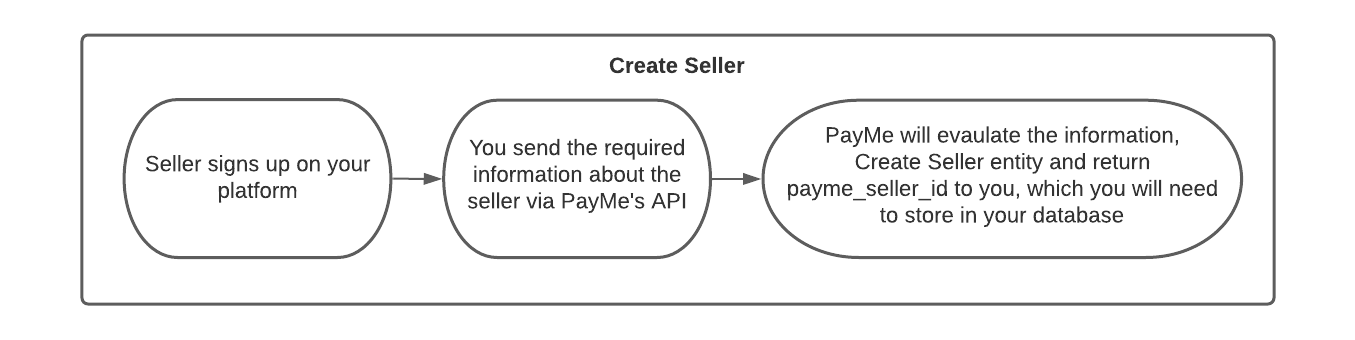
Create seller via API.
As mentioned above, the partner will be required to collect certain data regarding the seller when creating a new seller. The information can be found on our API reference.
Create Seller via User-Interface
If you would like to onboard new sellers via a dedicated and white-labeled user-interface, you can use PayMe's UI and brand it with your own logo and colors. For more information, please reach out to our support.
User-Interface Onboarding Example
Onboarding explanation: creation of new Merchants would be via a dedicated link sent by the Partner. The link would walk them through a registration flow. By using it, the sellers will fill all required details PayMe needs to validate and allow the operation of the Merchant.
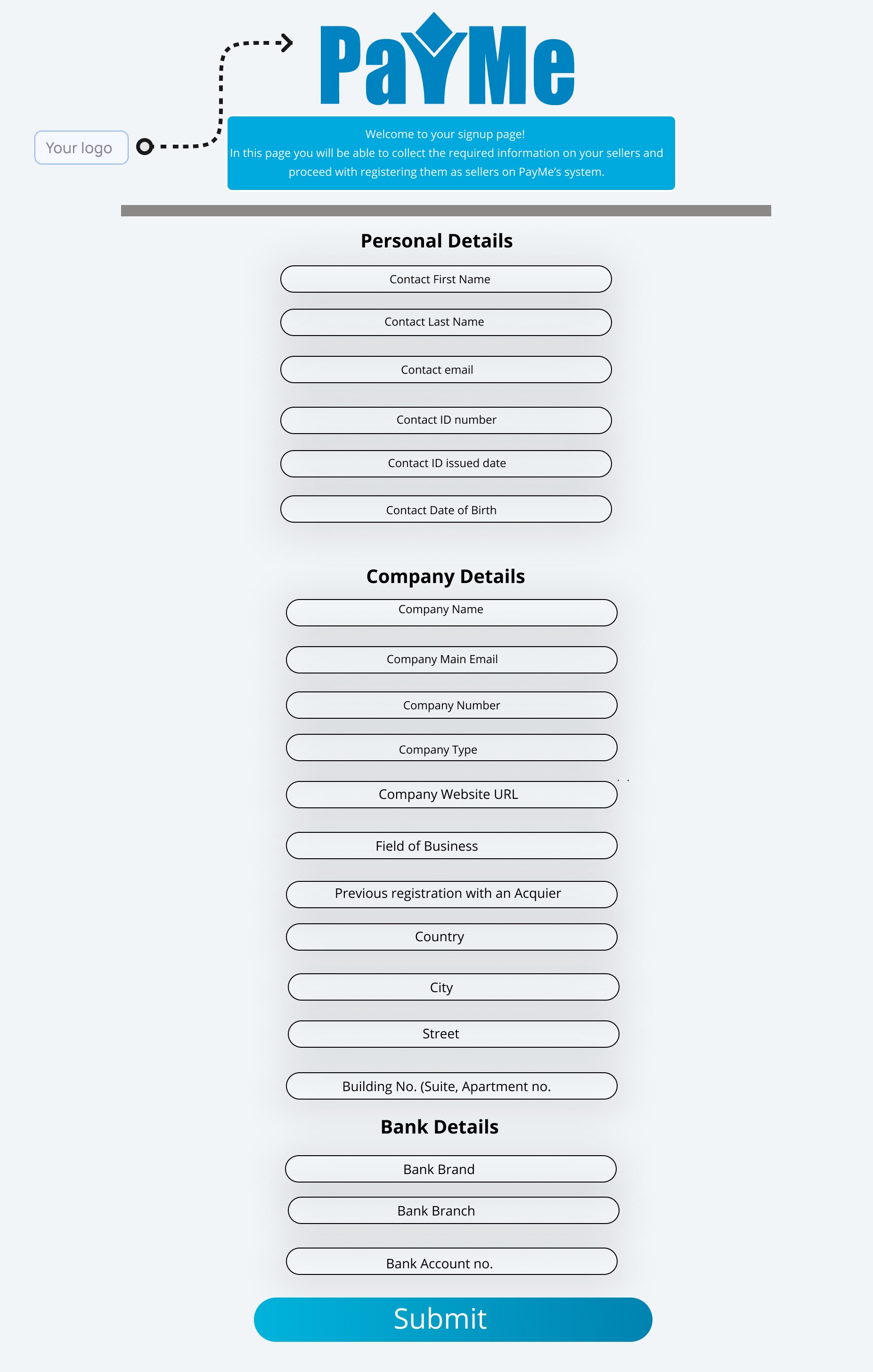 Can be segmentated into 3-5 steps instead of 1
Personal Contact Details:
| Field | description |
|---|---|
| First Name | Contact's first name |
| Last Name | Contact's last name |
| ID Number | Personal social ID numberEmail Address - Company's email address |
| Phone Number | Company's phone number |
| Contact Phone | Personal phone number |
| Contact Email | Personal Email Address |
| Password | Must include a number, one special character, one capital letter and one lowercase letter. At least8 characters long. |
Company Details:
| Field | description |
|---|---|
| Company Name | Company legal name |
| Company Registration code | Company legal business number |
| Company Type | Sole Proprietorship, Exempt Company, Company, Registered Company, Non Profit, Limited Liability Company |
| Acquirer previous registration | If you already have a business code on the acquirer's network, enter it in the designated field. |
Bank Account Details:
| Field | description |
|---|---|
| Bank Code | According to the list of banks |
| Bank Branch | Branch number |
| Bank account no. | Bank account number |